Great calls need a good connection. But on the road, in a warehouse or between meetings, Wi-Fi and mobile data don't always keep up. Cellular calling lets you make and receive Aircall calls over your mobile carrier network, with the rest of Aircall working exactly as before.
Cellular calling is now available in the Aircall mobile app on iOS and Android. Update to the latest app version to get it.
What is cellular calling?
Cellular calling is a new calling mode in the Aircall mobile app. Instead of carrying your call over your internet connection, Aircall connects it through your mobile carrier network. You keep the same lines, the same caller ID and the same call data.
How it works
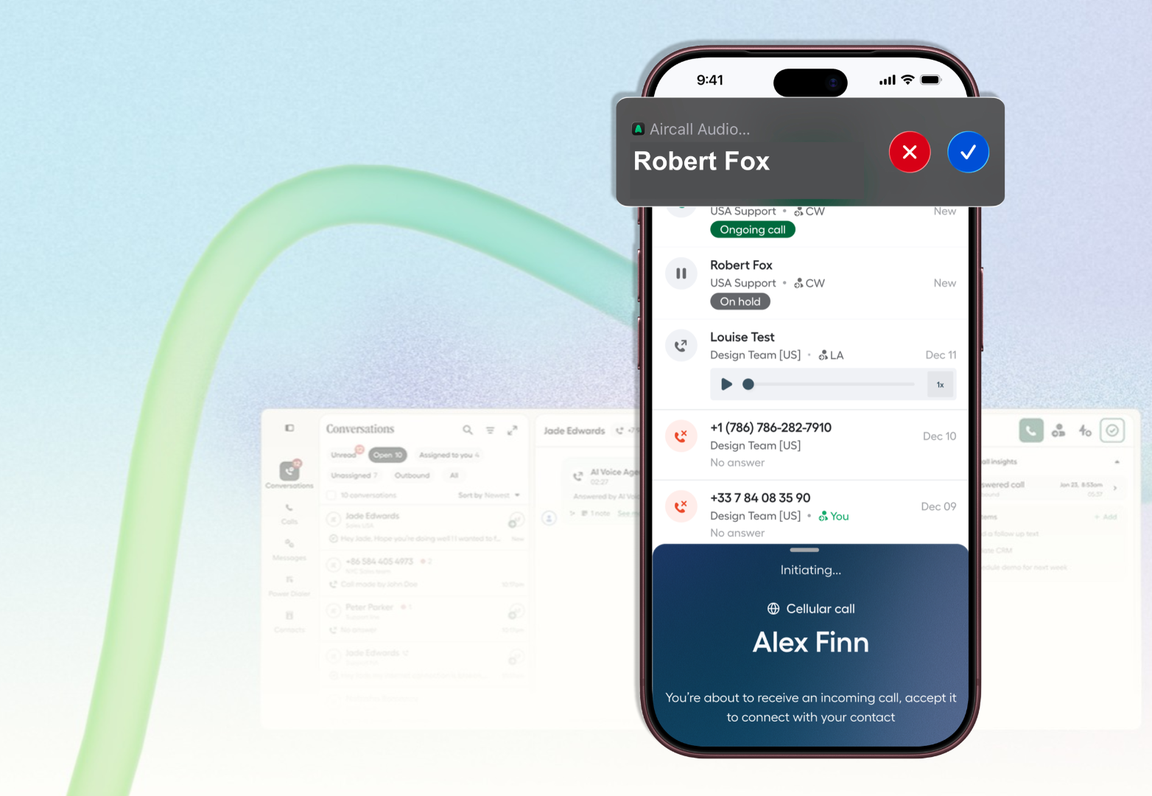
Outbound calls: tap call in the Aircall app. Aircall calls your mobile number first. Accept the call on your phone and we connect you to your contact.
Inbound calls: calls to your Aircall line ring your mobile number instead of the app. Answer on your phone as you would any call.
Your phone shows these calls as coming from Aircall, so you can recognise them. Other devices, such as the Aircall Workspace desktop app, keep ringing over the internet as usual.
Everything stays in Aircall
Because every call is still routed through Aircall, you keep:
Your business caller ID: your contact sees the Aircall line you chose.
Call recordings, transcripts and AI summaries.
Analytics and Live Monitor+, where cellular calls appear as regular calls.
CRM logging, call history and tagging.
Set it up in a few minutes
Open the Aircall mobile app and go to Settings > Preferences > Calling.
Under Link your carrier, enter your personal mobile number and confirm it with the code we send by SMS. It can't be an Aircall number.
Turn on Use cellular connection for calls.
Call as usual. The keypad shows a Cellular indicator, and you can switch back to internet calling at any time.
Good to know
You accept each call on your phone. There is no auto-answer, and you use your phone's own controls for mute, speaker and hold.
Calls received on your phone may count towards your mobile plan, so check your carrier terms.
You can link one number per user. Your setting is saved to your account. When you log in on a new phone, the app asks whether to use it for cellular calling.
Aircall eSIM lines keep their existing behaviour.
While Aircall calls your phone (up to about 25 seconds), you can't make or receive other calls. If you don't answer in time, the call shows as unanswered and you can try again. Save Aircall's callback number as a contact and answer promptly, so your carrier's voicemail doesn't pick up instead.
Admins: if calls reach an agent's voicemail, ask Support about the optional press 1 confirmation, which makes sure a real person has picked up.
Try it today
Update your Aircall app, open your calling settings and link your number.
Published on .
Ready to build better conversations?
Simple to set up. Easy to use. Powerful integrations.
Get free access