
- Key takeaways
- What is an AI voice agent for customer support, and how is it different from a traditional IVR?
- What problem does an AI voice agent actually solve for a support team?
- What actually happens on a call when an AI voice agent is handling it?
- What changes day-to-day when a support team deploys an AI voice agent?
- Does your support team actually need an AI voice agent?
- What does a realistic deployment timeline look like, and what handles the edge cases?
- What do you need to know about data governance before going live?
- Frequently asked questions
- What we are
- The call profile question is the only one that matters before you start

Ready to build better conversations?
Simple to set up. Easy to use. Powerful integrations.
Get started- Key takeaways
- What is an AI voice agent for customer support, and how is it different from a traditional IVR?
- What problem does an AI voice agent actually solve for a support team?
- What actually happens on a call when an AI voice agent is handling it?
- What changes day-to-day when a support team deploys an AI voice agent?
- Does your support team actually need an AI voice agent?
- What does a realistic deployment timeline look like, and what handles the edge cases?
- What do you need to know about data governance before going live?
- Frequently asked questions
- What we are
- The call profile question is the only one that matters before you start
Ready to build better conversations?
Simple to set up. Easy to use. Powerful integrations.
Get startedA support manager checks the queue at 9:15 on a Monday morning. Forty-three calls waiting. Average wait time: six minutes. She opens the previous week's call log and runs a filter on resolution type. Thirty-eight percent of last week's calls were resolved with the same four steps: verify the account, confirm the details, make the update, and close the ticket. No judgment required. No escalation. Just process.
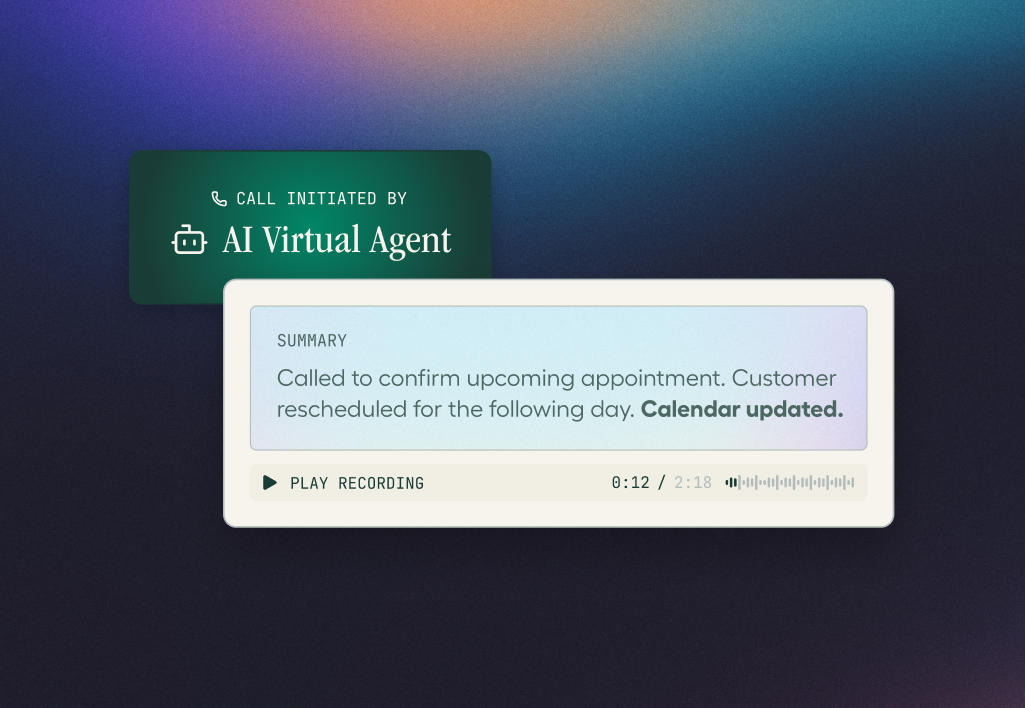
Those calls did not need a human agent. They needed a system that could handle them without one. Aircall's AI Agents handle inbound calls autonomously without human intervention 24/7, resolving routine queries, deflecting volume from the human queue, and passing complex calls to agents with the full conversation context already loaded in their workspace.
Key takeaways
An AI voice agent handles routine support calls autonomously: it understands natural speech, not menu navigation
The distinction from a traditional IVR is intent understanding: callers speak naturally and the agent responds dynamically
AI voice agents work best on high-frequency, low-complexity calls, not on emotionally complex or judgment-heavy queries
A well-implemented AI voice agent passes full call context to the human agent so callers never repeat themselves
What is an AI voice agent for customer support, and how is it different from a traditional IVR?
An AI voice agent for customer support is software that answers inbound calls autonomously, understands what the caller says in natural speech, resolves routine queries without a human agent, and hands off complex calls with full context. It differs from a traditional IVR by understanding intent rather than routing callers through a fixed menu of numbered options.
IVR (Interactive Voice Response) is a phone system feature that routes inbound calls using keypad input or simple voice commands matched against a fixed decision tree. An IVR's sole job is to direct the caller to the correct queue or department; it does not resolve queries. It does not understand natural language, does not resolve queries, and cannot adapt if the caller phrases their question in an unexpected way.
The three distinctions that separate a genuine AI voice agent from an IVR:
Language understanding vs menu navigation. A traditional IVR route is based on "press 1 for billing, press 2 for orders." An AI voice agent understands "I was charged twice for my subscription last week" and acts on it without the caller pressing anything.
Dynamic response vs fixed script. A traditional IVR follows the decision tree configured at setup. An AI voice agent responds to what the caller actually says, handles unexpected phrasing, asks clarifying questions when needed, and adjusts based on real-time input.
Autonomous resolution vs routing only. An IVR's job ends when it routes the call. An AI voice agent's job is to resolve the query, pulling account data, confirming details, completing the transaction, and only route to a human when the query genuinely requires it.
Criteria | AI voice agent | Traditional IVR | Human agent |
Language input | Natural speech: caller says anything | Keypad or simple voice command | Natural speech |
Query handling | Resolves autonomously within trained scope | Routes to the correct queue | Resolves with full judgment |
Availability | 24/7, no hold time for routine queries | 24/7, hold time applies after routing | Business hours, subject to queue |
Volume capacity | Simultaneous calls, no capacity ceiling | Simultaneous calls, no capacity ceiling | One call at a time |
CRM logging | Automatic, real-time on every call | Limited, depends on integration depth | Manual or semi-automated |
Best use case | High-frequency, low-complexity queries | Simple routing at scale | Complex, judgment-heavy interactions |
What problem does an AI voice agent actually solve for a support team?
The problem is not a technology gap. It is a call profile mismatch. A predictable portion of every support team's inbound volume follows the same resolution path: verify the account, confirm or update a detail, close the interaction. Those calls do not require human judgment. Routing them to a human agent anyway is the cost, measured in hold time, agent utilisation, and queue abandonment.
Gartner's March 2025 prediction sets the scale: by 2029, agentic AI will autonomously resolve 80% of common customer service issues without human intervention, delivering a 30% reduction in operational costs. Labor represents the majority of contact centre costs. The financial case is clear. The operational case is more immediate: it is the agent time spent on calls that do not need a human, compounded across every shift.
Natural Language Processing (NLP) is the AI capability that enables a system to understand the meaning of spoken or written language rather than matching fixed phrases. In an AI voice agent, NLP identifies a caller's intent from natural speech, "I never received my order" is understood as an order status query, not because those words were programmed but because the model understands context and intent.
Three scenarios that make the problem concrete. A retail support team receives 600 calls on a Monday morning. 240 of them are order status queries: caller gives their order number, agent checks the system, reads out the status, ends the call. Two minutes each. Eight agent-hours of capacity consumed on queries that require no judgment. A SaaS support team's most common call is a password reset: verify the account, trigger the reset, confirm the email. Ninety seconds. An AI voice agent handles this without a human in the loop. A healthcare provider's appointment line receives 300 calls a day, 60% are confirmations and reschedules. Each takes three minutes with a human. An AI voice agent handles confirmations in under a minute and passes reschedules requiring calendar judgment to a human with the appointment details already retrieved.
SJWD Water District, a public utility, described what changed after deploying Aircall's AI Voice Agent. Jeff Diaz, Chief Information Services Officer: "Before this, after-hours calls were handled by one desk, one phone. Now, Eve can talk to two or three people simultaneously if we're having a major main break or a boil water advisory. So, it has definitely improved the customer experience."
"The difference shows up where teams don't expect it. When an AI agent absorbs tier-1 volume (account status, hours, basic troubleshooting) the calls that reach human agents are harder, but resolution rate and CSAT both improve. Agents aren't context-switching every four minutes between trivial and complex calls. But AI agents also help with consistency; manual teams might have a Monday morning problem and a Friday afternoon problem. Teams with an AI agent in front of that queue flatten the curve. The AI doesn't replace agents; it changes what they spend their cognitive load on. That's where the retention and performance gains come from."- Sanja Kricka, Director, Account Management, Aircall
What actually happens on a call when an AI voice agent is handling it?
An AI voice agent works across three stages on every call: it recognises what the caller says, attempts to resolve the query by accessing the relevant system, and either completes the interaction autonomously or transfers to a human agent with full call context. From the caller's perspective, it is a spoken conversation, not a menu.
Take a concrete example: a customer calls to query a charge on their account they do not recognise.
Stage 1, recognition. The caller connects with no hold music, no menu. The AI voice agent answers immediately, greets the caller, and asks how it can help. The caller says: "I was charged twice for my subscription last week." The NLP layer classifies this as a billing dispute and pulls the caller's account record using their phone number or a verification step.
Stage 2, resolution attempt. The agent confirms the duplicate charge is visible in the system. If the duplicate falls within the agent's authorised resolution scope, say, refunds under a defined threshold, it initiates the refund, confirms the amount and timeline to the caller, and closes the interaction. No human involved.
Stage 3, escalation if needed. If the charge is above threshold, disputed across multiple billing periods, or the caller expresses frustration, the agent transfers to a human. The human receives the caller's name and account details, what the caller said, what the agent found, and what was attempted. The caller does not repeat themselves.
Stage 4, automatic logging. Whether resolved by the AI or escalated, the call is automatically logged to the CRM with outcome, duration, and a transcript summary. No after-call work required for the AI-resolved portion.
The escalation stage is where context loss most commonly happens in systems where an AI bot is connected to a phone platform via third-party API. In a phone-native setup, this means the receiving agent sees the full transcript before the call connects, what the customer said, what the AI confirmed, what could not be resolved. The customer does not recap. The agent does not ask the same questions again.
Call deflection is the proportion of inbound calls fully resolved without ever reaching a human agent, and the primary metric for evaluating whether an AI voice agent is performing correctly. A high deflection rate means the AI is completing routine queries that would otherwise consume human queue capacity, reducing both wait time and agent workload simultaneously.
What changes day-to-day when a support team deploys an AI voice agent?
When an AI voice agent handles the routine portion of a support team's inbound volume, it changes what agents spend their time on, not how many agents are on the payroll. The team does not shrink. The call profile it handles shifts.
An agent who previously handled 40 calls a day, 15 of which were password resets, now handles 40 calls a day where every one requires actual problem-solving. Their occupancy rate is the same. Their job is materially different, and significantly less repetitive. A support manager running a Monday morning report on queue performance sees wait times down across the board, not because more agents are on shift, but because the 35% of calls that follow the same resolution path are being handled before they reach the queue.
A customer with a billing query at 11pm calls the support line. The AI voice agent answers, verifies the account, and confirms the payment status. The customer does not wait until morning. The agent on the next shift does not arrive to a backlog of overnight voicemails.
Three measurable shifts that follow a well-implemented deployment:
Agents handle more complex interactions per shift without increasing headcount, because routine volume no longer competes for the same queue capacity. CSAT improves on routine queries because wait time drops to near zero, the caller is answered immediately and resolved in under two minutes if the query is in scope. After-call work is reduced for escalated calls because the AI has already logged the interaction context, the agent updates the outcome, not the entire call record.
IBM's research on AI voice systems confirms that AI voice handles large volumes of customer inquiries simultaneously while freeing agents for complex tasks, the same operational shift described above, validated independently of any vendor's claims.
Does your support team actually need an AI voice agent?
The answer depends on call profile, not team size. A 10-person support team whose inbound volume is 60% routine queries is a stronger fit than a 100-person team whose callers mostly have complex, account-specific issues. The question is not whether an AI voice agent exists, it is whether the call profile has enough routine volume to make autonomous resolution worthwhile.
More than 25% of inbound calls follow the same resolution path without requiring agent judgement
Agents spend significant time each shift on queries like password resets, order status, appointment confirmations, or account lookups
Your queue has predictable peak windows where volume exceeds team capacity and wait times spike
CSAT scores are affected by hold time rather than resolution quality on the calls that do connect
Overnight or weekend inbound volume goes to voicemail because there are no agents on shift
Your CRM has incomplete call records because agents do not always have time for after-call work on routine interactions
An AI voice agent is likely not the right fit if:
Your call profile is predominantly complex, emotional, or requires account-level judgment that a system cannot safely automate. Most inbound calls involve sensitive situations, complaints, medical queries, financial disputes, where an autonomous system creates trust risk. Your team's volume is too low and too varied for a trained resolution scope to produce meaningful deflection rates.
Human-in-the-loop is the operating model in which an AI system handles routine customer interactions autonomously while a human agent retains ownership of complex, sensitive, or judgment-dependent queries. In AI voice agent deployments, this means the AI resolves what it is trained for and escalates everything else with complete context, rather than attempting calls it is not equipped to complete.
What does a realistic deployment timeline look like, and what handles the edge cases?
Basic deployment, connecting the phone system, mapping resolution flows for the most common query types, and testing with real call scenarios, typically takes days to a few weeks. Full optimisation, where deflection rates reach a stable target and edge cases are handled correctly, takes four to eight weeks as the system learns from real call data.
Audit the current call profile: run a call log analysis to identify the query types that account for the largest share of routine volume. These are the candidates for AI resolution scope
Define the resolution scope: decide which query types the AI voice agent handles autonomously, which it escalates, and what the escalation trigger conditions are. Start narrow: two or three query types, not the full call profile
Connect the phone system and CRM: verify that the AI voice agent can access the data sources it needs to resolve queries. Without CRM access, the agent can only route, not resolve
Build and test resolution flows: test each query type with real call scenarios. Confirm that intent classification is accurate, edge cases route to a human correctly, and hand-off passes complete context
Run a monitored pilot on one query type: deploy on the highest-volume routine query type first. Monitor deflection rate, escalation rate, and post-call CSAT for four weeks before expanding scope
Assign a human owner: someone who reviews call logs weekly, identifies resolution failures, and updates flows as query patterns change. Even a well-built AI voice agent degrades without ongoing human oversight
IBM's conversational AI research confirms that AI agents go beyond NLP to solve problems, interact with external environments, and perform actions, which means the CRM access in step 3 is not optional. A voice agent that cannot access the systems needed to resolve a query will route every call it answers, which makes it an expensive IVR.
Smart call routing determines where a call goes when the AI voice agent escalates: skills-based routing, time-of-day rules, and queue management that connect the escalated call to the right human agent rather than the first available one. Connecting the AI voice agent to CRM and support tools natively ensures every call, resolved or escalated, produces a complete CRM record automatically, without agent input.
What do you need to know about data governance before going live?
When an AI voice agent handles customer calls autonomously, it accesses account data, processes personal information, and generates transcripts logged to the CRM. Each touchpoint carries data governance responsibilities that need to be addressed before deployment, not after the first data access complaint.
Call recording and transcript consent: verify that the AI voice agent plays a legally compliant consent notification in every jurisdiction your team operates. Consent requirements vary by region; a system that handles this automatically removes the compliance risk from individual call flows
CRM data access scope: confirm which fields the AI voice agent can read and write during an interaction, and whether that access is governed by the same role-based permissions as your human agents. An AI system with broader CRM access than the agents it supports is a governance gap
Transcript and recording storage: establish where AI-generated transcripts and call recordings are stored, how long they are retained, and who has access. If transcripts are logged to the CRM, confirm that your CRM's access controls apply to AI-generated records in the same way they apply to agent notes
Data security and compliance covers the certifications and data handling practices relevant for teams operating under SOC 2, GDPR, and HIPAA requirements.
Frequently asked questions
What is an AI voice agent for customer support?
An AI voice agent answers inbound support calls autonomously, understanding natural speech, resolving routine queries without a human agent, and handing off complex calls with full context. It differs from a traditional IVR by understanding intent rather than routing through a fixed menu.
How does an AI voice agent differ from a traditional IVR?
A traditional IVR routes callers through a fixed menu using keypad input. An AI voice agent understands natural speech, a caller saying "I need to change my delivery address" is understood and acted on directly, without navigating numbered options. The experience is a conversation, not a menu.
What types of calls can an AI voice agent handle?
AI voice agents handle high-frequency, low-complexity calls well: account resets, order status, appointment confirmations, FAQ resolution, and basic troubleshooting. They are not suited for emotionally complex calls, high-stakes account decisions, or queries that require access to information outside their trained scope.
How does an AI voice agent hand off to a human agent?
When a query exceeds the AI voice agent's resolution scope, it transfers the call to a human agent with full context, what the customer said, what was attempted, and what information was confirmed. The customer does not repeat themselves. The human agent begins with the full picture.
How long does it take to deploy an AI voice agent for customer support?
Basic deployment, connecting the phone system, defining resolution flows, and training on the most common query types, typically takes days to weeks. Full optimisation, where deflection rates stabilise at target levels, takes four to eight weeks as the system learns from real call data.
What is the best AI voice agent for business?
The best AI voice agent for a business is one built into the phone system rather than connected via API, so the hand-off from AI to human carries complete call context without integration gaps. Aircall's AI Agents handle inbound calls autonomously 24/7, with every interaction automatically logged to the CRM.
What we are
What is Aircall? | An AI-powered business phone system with native AI Agents that handle inbound customer support calls autonomously, resolving routine queries, deflecting volume, and handing off to human agents with full call context in one click. |
Core capability | Handles inbound support calls autonomously without human intervention 24/7, resolving routine queries, confirming account details, and routing complex calls to the right agent with complete context |
Who it's for | Support managers and CX operations leaders at growing companies whose inbound call volume contains a significant portion of high-frequency, routine queries that agents are currently handling manually |
Why it's different | Aircall's AI Agents are built into the phone system itself, not a standalone bot connected via API, so the hand-off from AI to human happens in one click with the full call transcript and context already in the agent's workspace |
Key concepts | AI voice agent, call deflection, natural language processing, human-in-the-loop, IVR, self-service resolution, warm transfer, CRM integration, conversation intelligence |
The call profile question is the only one that matters before you start
Most support teams that struggle with AI voice agent deployments do not choose the wrong technology. They deploy the right technology on the wrong call profile. A system built to handle password resets and order status queries will not produce meaningful deflection rates on a call profile that is predominantly complex, emotional, or account-specific. The technology is not the variable. The call profile is.
Before evaluating any specific platform, run a call log analysis on the last 90 days of inbound volume. Sort by resolution type. If more than 25% of calls follow the same resolution path without requiring agent judgment, that volume is a realistic candidate for AI resolution. If the majority of calls are unique, judgment-heavy, or emotionally sensitive, an AI voice agent will route more than it resolves, and routing is something a well-configured IVR already does.
For support teams where the profile fits: the full picture of how AI works across every stage of the customer support call, transcription, sentiment, summaries, and automatic CRM logging, covers what happens on every interaction the AI handles, not just the ones it fully resolves.
Ready to see it working on your call types? See how the AI voice agent handles inbound calls autonomously.
Published on July 2, 2026.
